Industry Solution Guides Proven signage for your industry

Choose Your Industry
Each guide shows where screens work best, the products we recommend, and a customer who has done it.
 Customer story
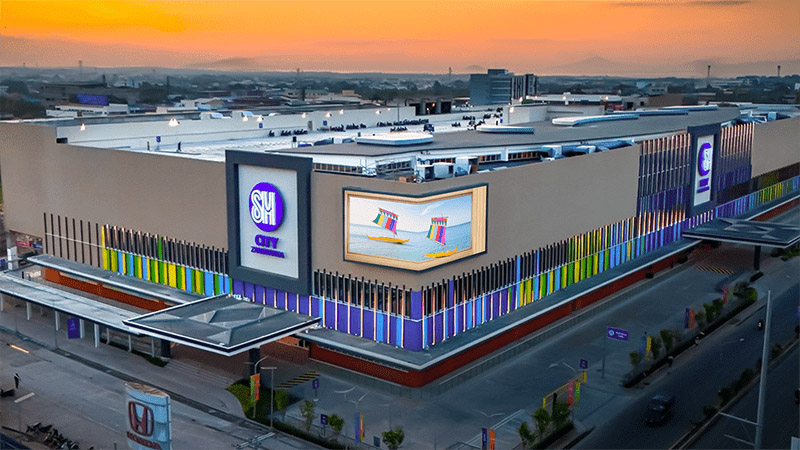
SM City Zamboanga, Philippines
Three SMP-2200 players drive seven LED displays across the mall exterior, interior and scenic elevator, all managed remotely from Manila.
Read the story >
Customer story
SM City Zamboanga, Philippines
Three SMP-2200 players drive seven LED displays across the mall exterior, interior and scenic elevator, all managed remotely from Manila.
Read the story >
Retail
Turn shop windows, aisles and checkout lines into screens that sell.
Window and storefront displays
Bright screens and LED walls show new arrivals and offers to people walking past, and switch by time of day on a schedule.
In-store promotion
Run a different playlist for each store, zone or screen, and change an offer across the chain in minutes.
Price check and personal offers
A shopper scans a barcode to see price and product details, or a member card to get a personal promotion.
Audience insight
AI AudienceSense reads headcount, age group and gender in real time and shows matching content, with no images or personal data stored.
- Players
- SMP-2200SMP-2400SMP-8100
- Management
- CMS-SECMS-WS
- Add to it
- AI AudienceSenseBarcode and Member Card ScanningQR Code InteractionVideo Walls
 Customer story
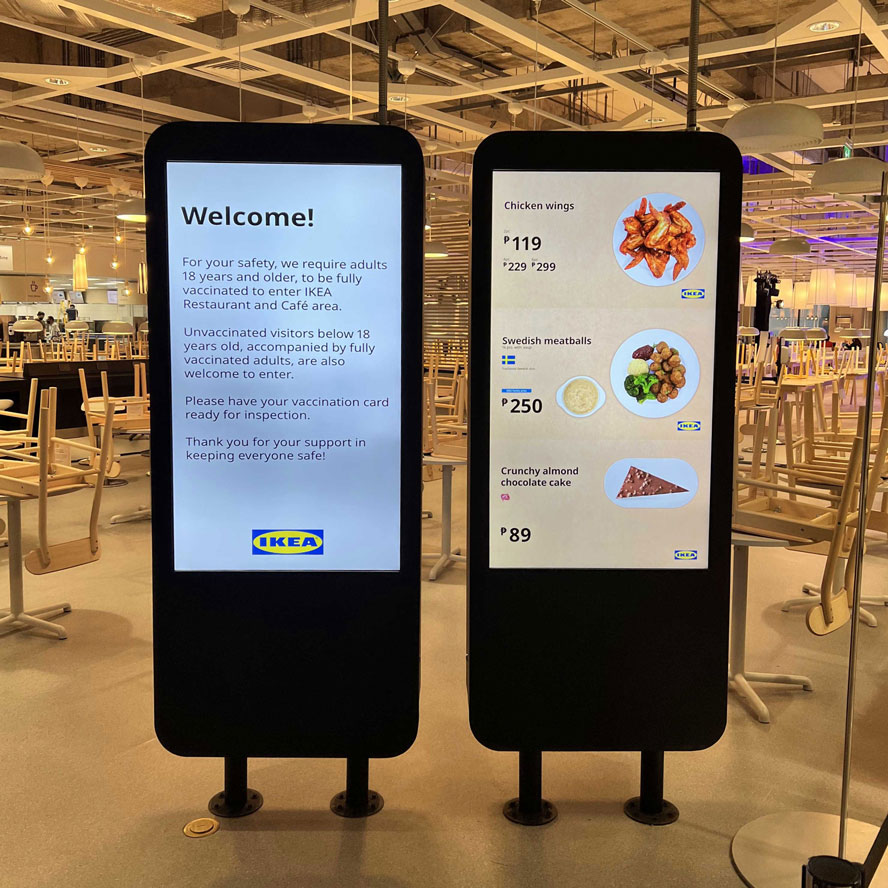
IKEA, Philippines
Thirty-five SMP players run 66 displays and six kiosks across the store, showing the restaurant menu, offers and promotions and updating them in real time from one place.
Read the story >
Customer story
IKEA, Philippines
Thirty-five SMP players run 66 displays and six kiosks across the store, showing the restaurant menu, offers and promotions and updating them in real time from one place.
Read the story >
Food & Beverage
Keep menus, prices and promotions in step across every counter and every branch.
Digital menu boards
One player drives two to four menu screens above the counter, so every screen changes together.
Dayparting
Breakfast, lunch and dinner menus switch on a schedule, and you can take a sold-out item off the board right away.
Order and pickup calling
Queue numbers appear on screen beside promotions, so customers know when their order is ready.
One menu for every branch
Head office updates prices and campaigns for all stores from a single server.
- Players
- SMP-2400SMP-2210SMP-2200CAYIN Signage Player
- Management
- CMS-SECMS-WSGO CAYIN
- Add to it
- Intelligent Queue SystemVideo WallsQR Code Interaction
 Customer story
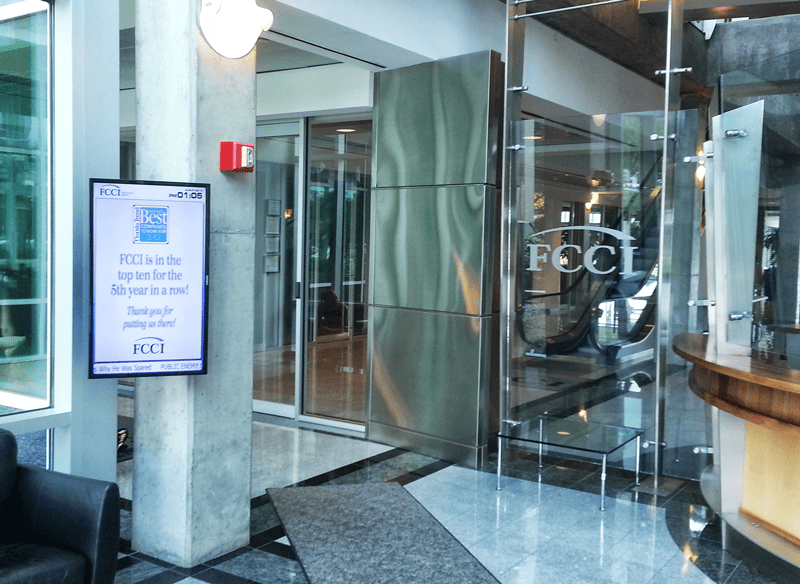
FCCI Insurance Group, United States
SMP players replaced traditional message boards with lobby announcement screens and a digital cafeteria menu at headquarters, and the network then expanded to regional offices across the US.
Read the story >
Customer story
FCCI Insurance Group, United States
SMP players replaced traditional message boards with lobby announcement screens and a digital cafeteria menu at headquarters, and the network then expanded to regional offices across the US.
Read the story >
Enterprise
Welcome visitors, book rooms and keep every office on the same message.
Lobby and reception
Welcome messages, company news and visitor information play on the screens people see first.
Meeting room displays
Room schedules sync with Microsoft 365 or Google Calendar and show at the door, so nobody walks into a booked room.
Internal communication
Send announcements, KPIs and safety notices to offices, factory floors and break rooms from one place.
ePaper door signs
Ultra-low-power ePaper shows room status where running power and network cables is not practical.
- Players
- SMP-2200SMP-2400CAYIN Signage Player
- Management
- CMS-SECMS-WSGO CAYIN
- Add to it
- meetingPost+meetingPostePaper SolutionWeb Data Integration
 Customer story
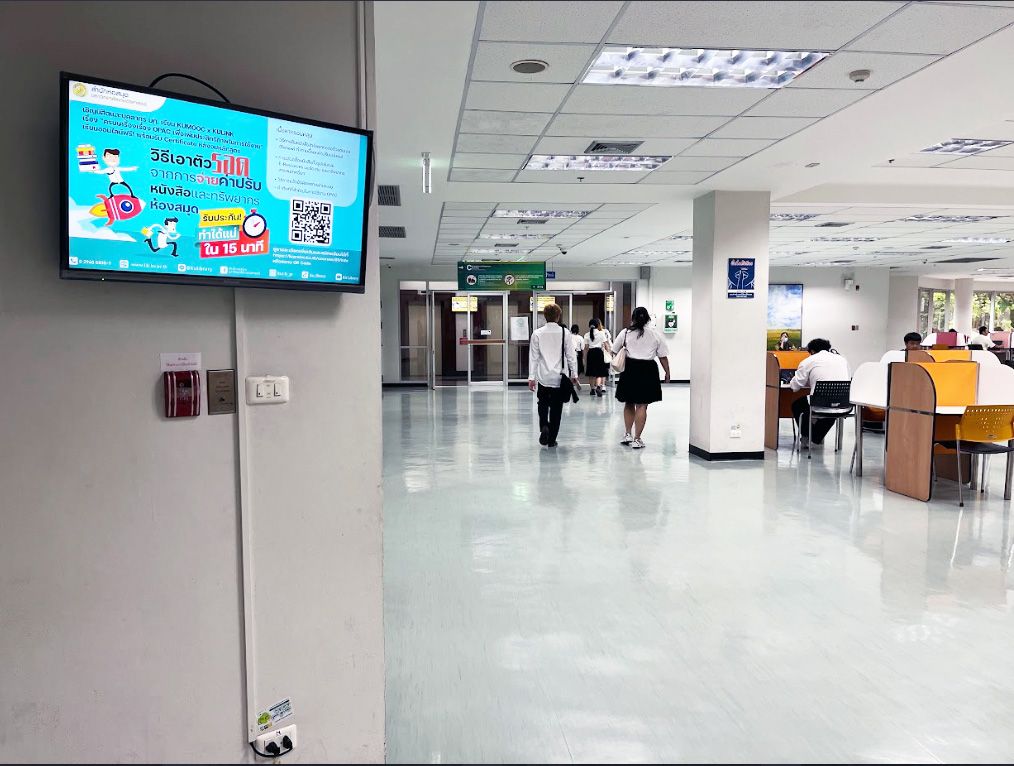
Kasetsart University Library, Thailand
Twenty SMP-2200 players and one CMS-SE server turn elevator lobbies and study floors into a single network that library staff manage from one dashboard.
Read the story >
Customer story
Kasetsart University Library, Thailand
Twenty SMP-2200 players and one CMS-SE server turn elevator lobbies and study floors into a single network that library staff manage from one dashboard.
Read the story >
Education
Reach students and staff across buildings, libraries and lecture halls.
Campus announcements
Events, deadlines and notices reach every building, and each department manages its own screens.
Libraries and study areas
Screens in elevator lobbies and on study floors show opening hours, new titles and event notices.
Timetables and room signs
Class schedules show outside each room on screens or ePaper and update from the central system.
Wayfinding
Floor directories and direction boards guide visitors on open days and at events.
- Players
- SMP-2200SMP-2400
- Management
- CMS-SECMS-WS
- Add to it
- wayfinderPostePaper SolutionTouch and InteractiveWeb Data Integration
 Customer story
SRT Red Line, Thailand
The commuter line replaced 40 older players with SMP-2200 across its stations, kept live arrival screens running without disruption, and added a real-time countdown.
Read the story >
Customer story
SRT Red Line, Thailand
The commuter line replaced 40 older players with SMP-2200 across its stations, kept live arrival screens running without disruption, and added a real-time countdown.
Read the story >
Transportation
Show live arrivals and service notices where passengers are waiting.
Arrival and departure boards
Players pull live data from your operations system and show train names, arrival times and countdowns.
On-board screens
Players on buses and trains use GPS and the mobile network to show content for the next stop or district.
Station information and advertising
Mix passenger notices with advertising on one schedule, and prove playback with reports.
Always-on reliability
Fanless, industrial-grade players are built to run unattended around the clock in stations and vehicles.
- Players
- SMP-2200SMP-2400SMP-8100
- Management
- CMS-SE
- Add to it
- Web Data IntegrationLocation Based ContentLive Feed and StreamingSuperReporter 2
 Customer story
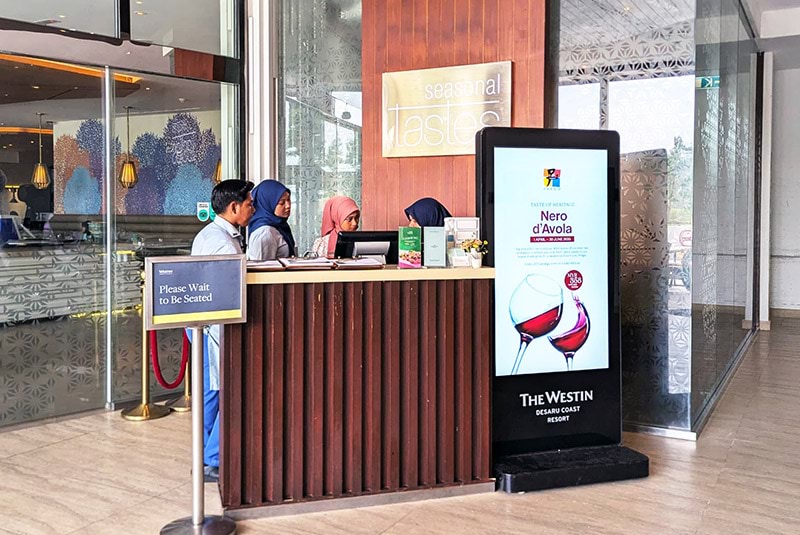
The Westin Desaru Coast Resort, Malaysia
The resort uses CMS-WS to deliver real-time updates across the resort and its convention center, improving the guest experience and day-to-day operations.
Read the story >
Customer story
The Westin Desaru Coast Resort, Malaysia
The resort uses CMS-WS to deliver real-time updates across the resort and its convention center, improving the guest experience and day-to-day operations.
Read the story >
Tourism & Hospitality
Guide guests from the lobby to the ballroom and keep them informed along the way.
Lobby information
Show room types and rates, exchange rates, weather and hotel promotions on the lobby screens.
Events and meeting rooms
Today's events and meeting schedules appear at the entrance and outside each function room.
Wayfinding
Direction boards lead guests to restaurants, the spa and conference halls.
Use the TVs you already have
CAYIN Signage Player runs on Smart TVs and Android devices, so existing screens join the network without extra hardware.
- Players
- SMP-2200SMP-2400CAYIN Signage Player
- Management
- CMS-WSCMS-SE
- Add to it
- meetingPost+wayfinderPostLive Feed and Streaming
 Customer story
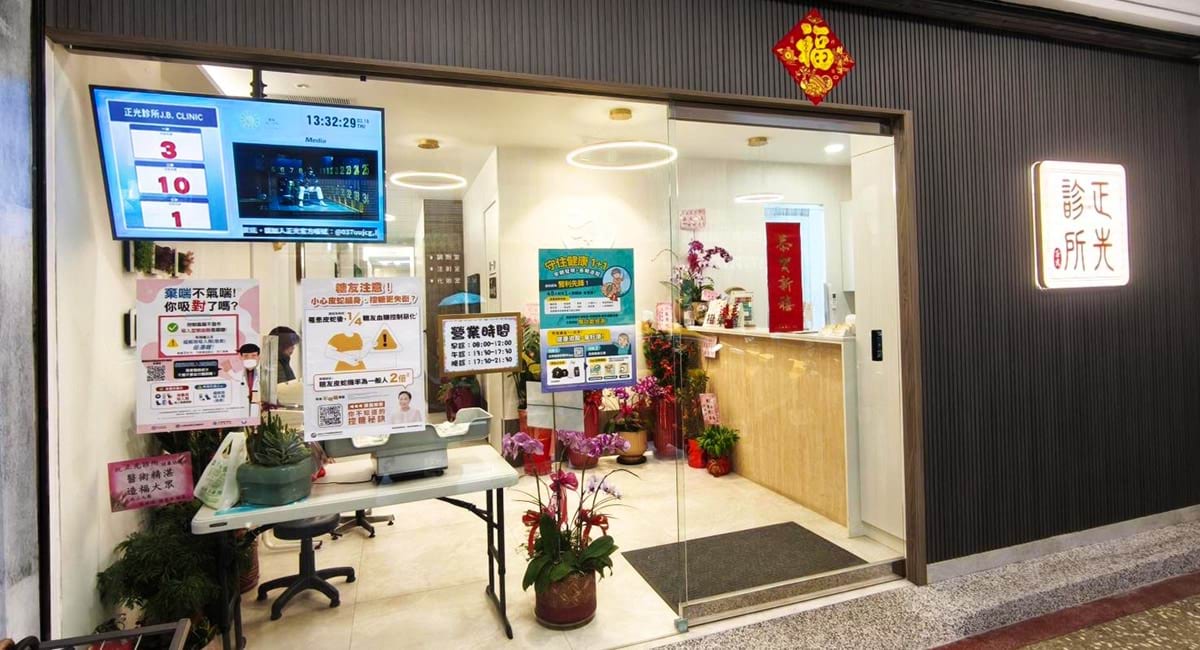
JB Clinic, Taiwan
A 40-year community clinic pairs SMP-2200 players with queue management to show dual-room layouts, fast call updates and health education in the waiting room.
Read the story >
Customer story
JB Clinic, Taiwan
A 40-year community clinic pairs SMP-2200 players with queue management to show dual-room layouts, fast call updates and health education in the waiting room.
Read the story >
Healthcare
Shorten the wait, guide patients, and share health information they can trust.
Queue and room calling
Call numbers and consulting room assignments update on screen with low latency as the clinic system changes.
Waiting room education
Health education and clinic notices play beside the queue, which makes the wait feel shorter.
Wayfinding
Floor directories and department boards help patients and visitors find their way.
Pharmacy and service counters
Pickup numbers, opening hours and service notices show at each counter.
- Players
- SMP-2200SMP-2210CAYIN Signage Player
- Management
- CMS-SECMS-WS
- Add to it
- Intelligent Queue SystemwayfinderPostWeb Data IntegrationePaper Solution
Build Your Setup in Three Steps
Every project, in any industry, comes down to the same three choices.

-
Choose the player
Count the screens that sit together at each location. One SMP player drives one to four screens, and CAYIN Signage Player runs on Smart TVs you already own.
Player Selection Guide > -
Choose how to manage it
A few screens can run on their own. For many screens or sites, a CMS server schedules content and monitors every player from one place.
Server Comparison Guide > -
Add what your industry needs
Queue calling, meeting room booking, wayfinding, audience analytics and live data all build on the same players and servers.
All extended solutions >
System Architecture
An SMP player works as a networked standalone player, or under a client-server structure with a CMS server, over a wired or wireless IP network.
Networked Standalone Digital Signage Player
Digital Signage Network with Client-Server Structure (CMS server + SMP player)
Frequently Asked Questions
Quick answers to what customers ask before they start a project.
Which CAYIN products do I need for a digital signage project?
Most projects need three things: a player behind each screen or group of screens, a way to manage them, and any add-ons for your industry. SMP players run on their own for a few screens. Add a CMS server when you manage many screens or sites from one place.
Can one system cover several industries or types of site?
Yes. The same SMP players and CMS servers are used in shops, restaurants, offices, campuses, stations, hotels and clinics. What changes is the content, the templates and the add-ons, such as queue calling or meeting room booking.
Do I need a server for a single shop or clinic?
No. An SMP player schedules and plays content by itself, and you manage it from a web browser. For small sites that prefer a cloud service, GO CAYIN needs no server on site.
Can I use the Smart TVs or Android screens I already own?
Yes. CAYIN Signage Player is software that runs on Smart TVs, Android devices and PCs. You manage those screens with CMS-WS or GO CAYIN, and they can sit in the same network as SMP players.
Can the screens show live data from my own system?
Yes. SMP players are web-based, so they can display HTML5 pages and data from your web server or database, such as arrival times, queue numbers, prices or room schedules. See web data integration.
How do I choose the right player and server?
Start with how many screens sit together at each location and how many screens you manage in total. The Player Selection Guide and the Server Comparison Guide each recommend a model after a few questions.
Planning a Project in Your Industry?
Tell us about your sites and screens, and we will recommend a setup that fits.