Meeting Room Booking Displays: How to Choose and Set Them Up
What is a meeting room booking display?
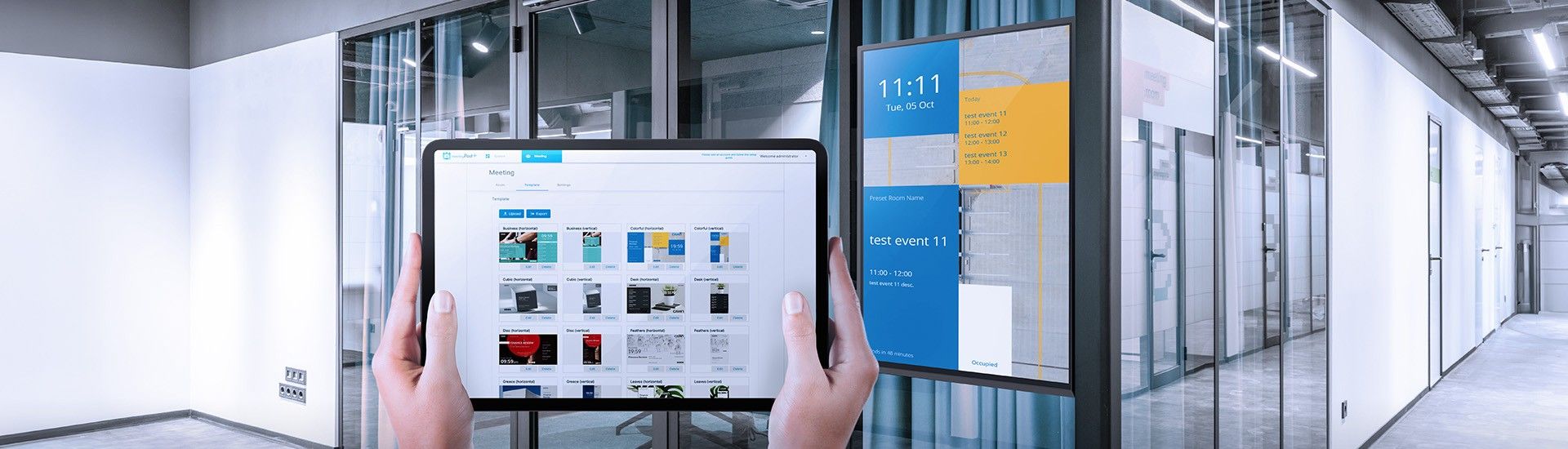
A meeting room booking display is a screen mounted outside a meeting room. It connects to a calendar and shows whether the room is vacant or occupied, the current meeting and upcoming bookings.
Because the screen reads from the same schedule people use to book, a change in the calendar appears at the door without anyone printing or updating a sign.
What problems does it solve?
- Double bookings: everyone sees the same live schedule.
- Interrupted meetings: people can see that a room is in use before opening the door.
- Time spent looking for rooms: a multi-room view shows which rooms are free.
- Paper signs: no more printed schedules that go out of date.
- Visitor confusion: guests can confirm they have the right room.
Which features matter most?
| Feature | Why it matters | In meetingPost+ |
|---|---|---|
| Calendar sync | Keeps one schedule for everyone | Microsoft 365, Google Calendar, Google Workspace |
| Room status | Shows availability at a glance | Vacant or occupied, in a style you choose |
| Event countdown | Shows how long a meeting has left | Tracks runtime and status in real time |
| On-screen booking | Reserve a room while standing at it | Book from the display outside the room |
| Recurring bookings | Handles regular meetings | Daily, weekly, monthly or annual |
| Multi-room view | Finds a free room quickly | Room Set shows several rooms in one place |
| Templates | Matches your brand | Portrait and landscape, with your logo, background and colors |
| Remote management | Updates signs from your desk | Web-based interface |
See the full feature list on the meetingPost+ page.
Do I need Microsoft 365 or Google?
No. meetingPost+ can connect to the calendar your company already uses, or run on its own:
- Microsoft 365 or Google Workspace: keep booking rooms in the tools employees already know.
- Google Calendar: a simple option for smaller teams.
- Built-in calendar: reserve rooms, create equipment lists, manage recurring events and search for free rooms without another application. You can also import .ics files or iCal URLs.
CMS-WS supports all of these calendars. On GO CAYIN, the free Basic plan uses the built-in calendar, Professional uses built-in and Google, and Professional Team uses built-in, Microsoft 365, Google Workspace and Google.
What hardware do I need?
- A screen at each room: small displays or tablets suit a door or glass wall. Choose a touchscreen if people will book at the door.
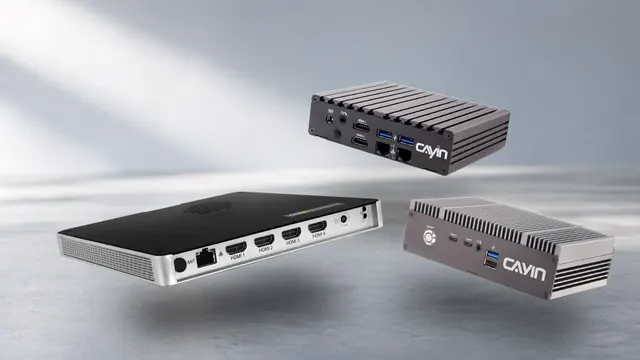
- A playback device: an SMP player, or a device running CAYIN Signage Player.
- Network: a stable wired or Wi-Fi connection at every room, so bookings stay current.
- Power and mounting: plan the outlet, cable route and mounting position before installation.
Your own server or the cloud?
| CMS-WS | GO CAYIN | |
|---|---|---|
| Where it runs | A server you control | CAYIN's cloud |
| Maintenance | Very little after the one-time installation | No server to install |
| Scale | Up to 1,000 devices | Up to 200 screen connections |
| Calendars | Built-in, Microsoft 365, Google Calendar, Google Workspace | Basic: Built-in Professional: Built-in, Google Professional Team: Built-in, Microsoft 365, Google Workspace, Google |
| If the network drops | CAYIN Signage Player keeps playing the last downloaded or offline content | CAYIN Signage Player does not continue playing content |
| Best for | Companies that want to store data on their own server | Teams that want to start quickly |
During an outage, a screen cannot receive new bookings, so the schedule shown may not be current. Learn more in On-Premise vs Cloud Digital Signage Software, or see CMS-WS.
How much does it cost?
CMS-WS: purchased as a license, billed yearly by the number of connected devices, for up to 1,000 devices. Please contact us for a quote.
GO CAYIN: meetingPost+ is a subscription with these plans:
| Plan | Price | Screens | Rooms | Calendars |
|---|---|---|---|---|
| Basic | Free | 2 | 2 | Built-in |
| Professional | USD 20 / month or USD 200 / year | 25 | 25 | Built-in, Google |
| Professional Team | USD 60 / month or USD 600 / year | 200 | Unlimited | Built-in, Microsoft 365, Google Workspace, Google |
Prices exclude tax. See the latest on the GO CAYIN pricing page. Remember to budget for screens, playback devices, mounting and cabling.
How do I roll it out?
- List your rooms: note each room's name, capacity, equipment and network.
- Choose the calendar: decide where employees will book.
- Choose the platform: CMS-WS or GO CAYIN.
- Pilot one or two rooms: test sync, booking and how readable the screen is.
- Set your template: apply your logo, colors and language.
- Install the rest: add rooms in batches and tell employees how to book.
Frequently asked questions
What is a meeting room booking display?
It is a screen outside a meeting room that connects to a calendar and shows whether the room is vacant or occupied, the current meeting and upcoming bookings.
Which calendars does meetingPost+ work with?
meetingPost+ works with Microsoft 365 Calendar, Google Calendar and Google Workspace Calendar, and it has its own built-in calendar. On GO CAYIN, the free Basic plan uses the built-in calendar, Professional uses built-in and Google, and Professional Team uses built-in, Microsoft 365, Google Workspace and Google.
Can people book a room from the screen?
Yes. meetingPost+ supports on-screen booking from the display outside the room. Use a touchscreen if you want people to book at the door.
Is there a free option?
Yes. The GO CAYIN Basic plan is free and includes 2 screen connections, 2 meeting rooms and 3 templates, with the built-in calendar.
What happens if the network goes down?
CAYIN Signage Player used with CMS-WS keeps playing the last downloaded or offline content. CAYIN Signage Player used with GO CAYIN does not continue playing content.
CAYIN Technology in Brief
CAYIN Technology is a 22-year professional digital signage solution and software developer from Taiwan. By offering a complete portfolio of appliance-based digital signage solutions, CAYIN dedicates itself to being a reliable partner to clients worldwide and has successfully set up various applications globally. In order to best facilitate the deployment of its products, the company also provides tailored services to satisfy the ever-growing market demand for almost limitless applications.